
My InfoSec HomeLab
Isolated Security Homelab on Proxmox — Build Guide

Purpose
A small, fully isolated lab for practising both sides of security: attacking deliberately vulnerable targets (Metasploitable 2, OWASP Juice Shop, DVWA, later Active Directory) and detecting those attacks with a SIEM (Wazuh) and Windows endpoint logging (Sysmon). It is built so that nothing vulnerable can ever reach the home network or the internet.
Architecture
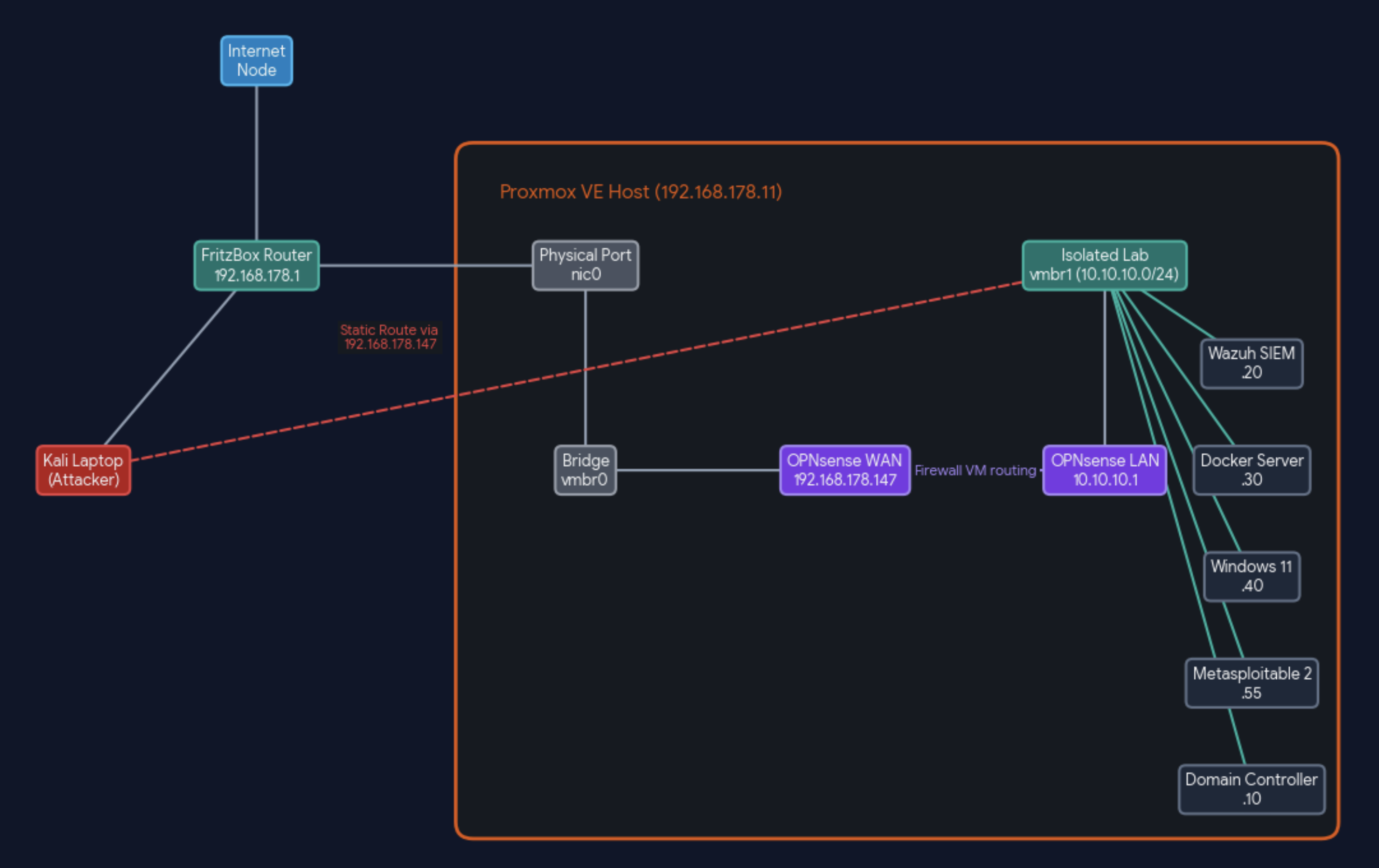
| Host | VM ID | OS | Role | vCPU / RAM / Disk | IP |
|---|---|---|---|---|---|
| OPNsense-FW2 | 100 | OPNsense 26.7 | Firewall / router, DHCP + DNS for the lab | 2 / 4 GB (no ballooning) / 32 GB | WAN 192.168.178.147, LAN 10.10.10.1 |
| metasploitable | 101 | Metasploitable 2 (Ubuntu 8.04) | Vulnerable network target | 1 / 1 GB / 8 GB | 10.10.10.55 |
| wazuh | 102 | Ubuntu 24.04.5 + Docker | SIEM: Wazuh 4.14.8 single-node (indexer, manager, dashboard) | 2 / 6 GB / 60 GB | 10.10.10.20 |
| dockers | 103 | Ubuntu 24.04.5 + Docker | Vulnerable web apps: Juice Shop :3000, DVWA :8080 | 2 / 4 GB / 40 GB | 10.10.10.30 |
| WIN11 | 104 | Windows 11 Enterprise Evaluation | Endpoint for detection (Sysmon + Wazuh agent), later domain workstation | 2 / 4 GB / 60 GB (UEFI + TPM 2.0) | 10.10.10.40 |
| DC01 (Day 18) | 105 | Windows Server 2022 Evaluation | Domain controller for corp.lab |
2 / 4 GB / 60 GB | 10.10.10.10 |
| Kali | — | Kali Linux on a ThinkPad (physical) | Attacker / admin workstation | — | home network (DHCP) |
Prerequisites
Hardware: mini PC with AMD Ryzen 5 7640HS (6 cores / 12 threads), 32 GB DDR5, 512 GB NVMe, two 2.5 GbE ports. Hypervisor: Proxmox VE 9 on ext4.
ISOs (all official, free):
Proxmox VE 9 — proxmox.com
OPNsense 26.7 (DVD image) — opnsense.org
Ubuntu Server 24.04.5 — releases.ubuntu.com
Metasploitable 2 — sourceforge.net/projects/metasploitable
Windows 11 Enterprise Evaluation (90 days) and Windows Server 2022 Evaluation (180 days) — Microsoft Evaluation Center
VirtIO drivers for Windows — fedorapeople.org (virtio-win.iso)
How the network works (in plain words)
The whole design rests on two virtual switches (Linux bridges) inside the Proxmox host:
| Bridge | Connected to | Who sits on it | Meaning |
|---|---|---|---|
| vmbr0 | the physical port nic0 → FritzBox |
Proxmox itself (.11), OPNsense's WAN side |
"Outside": the normal home network |
| vmbr1 | nothing physical (bridge-ports none) |
all lab VMs, OPNsense's LAN side, Proxmox (10.10.10.2) |
"Inside": the lab |
Because vmbr1 has no cable to the outside, a lab VM physically cannot talk to the home network on its own. The only way out is through the OPNsense VM, which has one leg in each bridge, like a router with two cables. That makes OPNsense the single checkpoint for everything leaving the lab, and its firewall rules decide what passes.
Three traffic paths, step by step:
Kali attacks a lab target (e.g.
nmap 10.10.10.55)Kali has a static route: "for
10.10.10.0/24, go via192.168.178.11" (the Proxmox host).Proxmox forwards the packet from
vmbr0intovmbr1(IP forwarding on).On the way in, Proxmox rewrites the source address to its own lab address
10.10.10.2(an iptables MASQUERADE rule). Without this, the target would send its reply to its default gateway (OPNsense) instead of back to Proxmox, and the connection would break.Side effect worth knowing for detection work: in the lab's logs (Wazuh, Sysmon, web logs), attacks from Kali show up as coming from
10.10.10.2, not from Kali's home IP.This path doesn't touch OPNsense's firewall at all, so the isolation rules never get in Kali's way.
A lab VM tries to reach the internet (e.g. malware on Metasploitable "phoning home")
- The VM sends it to its gateway
10.10.10.1(OPNsense) → OPNsense checks its LAN rules → rule 4 blocks and logs it. Nothing leaves.
- The VM sends it to its gateway
A lab VM needs updates (Windows Update, apt, Docker images)
- Only while patching, rule 3 is switched on for the three update hosts (
.20,.30,.40). OPNsense then NATs their traffic out through the FritzBox. Afterwards rule 3 goes off again.
- Only while patching, rule 3 is switched on for the three update hosts (
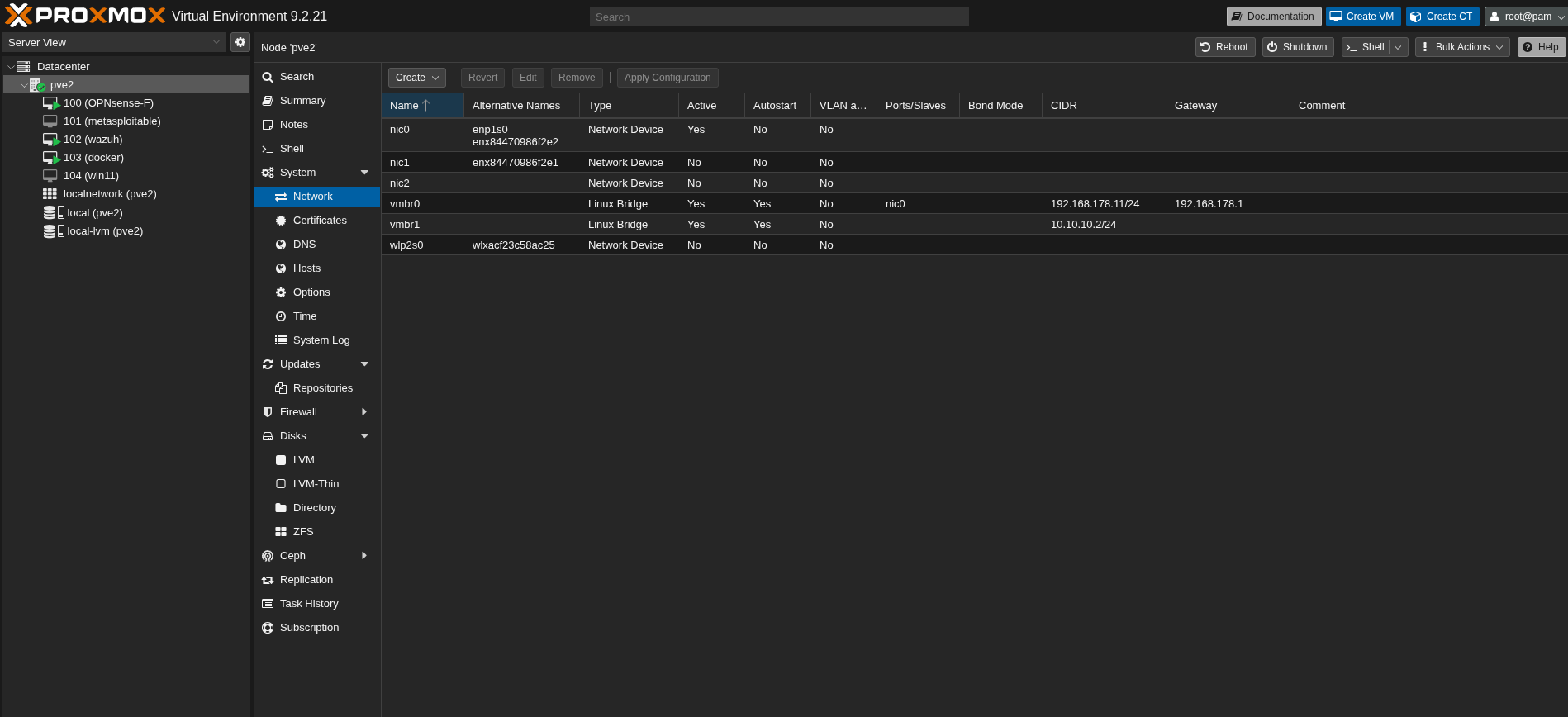
Proxmox System → Network: vmbr0 with port nic0, vmbr1 with no port.
Network isolation
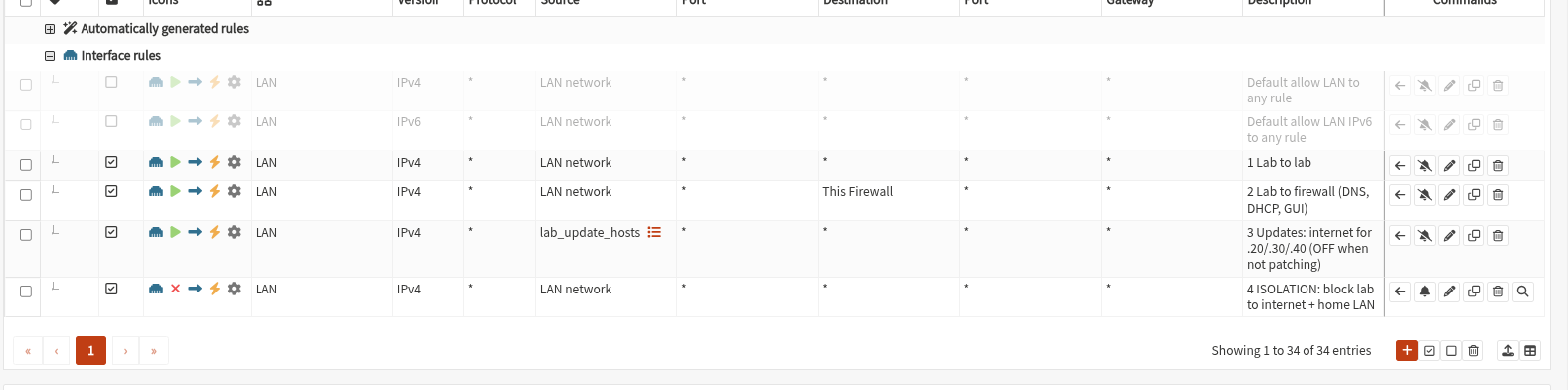
OPNsense Firewall → Rules → LAN, evaluated top to bottom, first match wins:
| # | Action | Source | Destination | Purpose |
|---|---|---|---|---|
| 1 | Pass | LAN net | LAN net | Lab hosts may talk to each other (attacks, agents → Wazuh) |
| 2 | Pass | LAN net | This Firewall | DNS, DHCP and the admin GUI on OPNsense itself |
| 3 | Pass (disabled by default) | alias lab_update_hosts (.20, .30, .40) |
any | Internet only while patching |
| 4 | Block + log | LAN net | any | The isolation rule: blocks lab → internet and lab → home network |
The two factory rules "Default allow LAN to any" (IPv4/IPv6) are disabled, not deleted. Their absence is what makes rule 4 effective.
Admin access to OPNsense goes through an SSH tunnel via the Proxmox host (ssh -L 4430:10.10.10.1:443 root@<proxmox>), so the firewall GUI is never exposed on the home network.
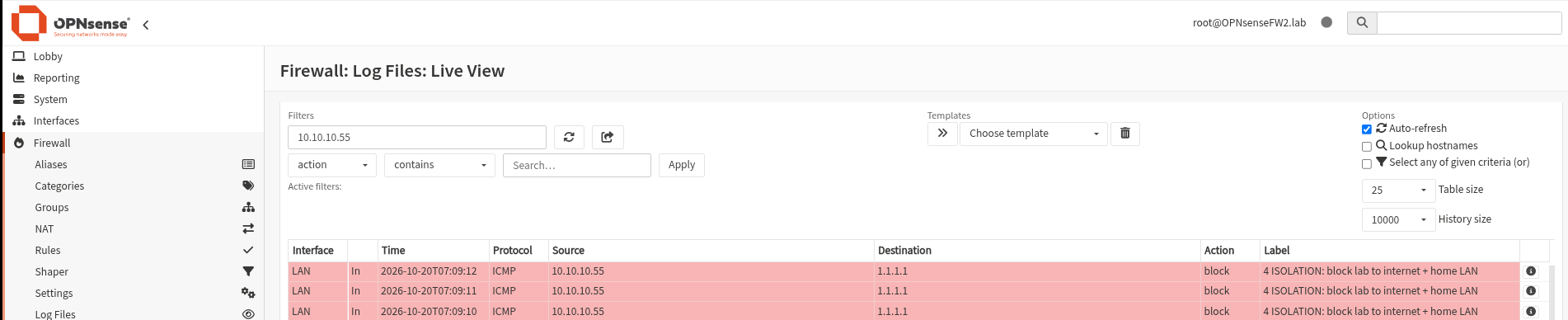
Verified on 15–16 Oct 2026:
| Test | Expected | Result |
|---|---|---|
Metasploitable: ping 1.1.1.1 |
fails | ✅ 100 % packet loss |
Metasploitable: ping 192.168.178.1 (home router) |
fails | ✅ 100 % packet loss |
Docker VM with rule 3 off: curl -m 5 http://example.com |
times out | ✅ |
Kali: nmap / browser to .55, .30:3000, .20 |
works | ✅ |
Build steps
Detailed click-by-click guides live in the vault cheat sheets ([[proxmox-install]], [[opnsense-install]], [[metasploitable-install]], [[wazuh-install]], [[windows-install]], [[docker-host-install]]). The short version:
Step 1 — Proxmox host
BIOS: confirm 32 GB is detected, enable SVM (AMD virtualisation). Install Proxmox VE 9 on ext4 with a static address, switch to the no-subscription repository, fully upgrade. Then add the lab bridge to /etc/network/interfaces:
auto vmbr1
iface vmbr1 inet static
        address 10.10.10.2/24           # Proxmox's own address inside the lab
        bridge-ports none               # no physical port: the lab is cut off by design
        bridge-stp off
        bridge-fd 0
        # Let the host route between home network and lab (for Kali)
        post-up echo 1 > /proc/sys/net/ipv4/ip_forward
        # Rewrite Kali's packets to 10.10.10.2 so lab replies come back the same way
        post-up iptables -t nat -A POSTROUTING -s 192.168.178.0/24 -o vmbr1 -j MASQUERADE
        post-down iptables -t nat -D POSTROUTING -s 192.168.178.0/24 -o vmbr1 -j MASQUERADE
ifreload -a                              # apply without reboot
ip -br a                                 # vmbr1 shows 10.10.10.2/24
On Kali, a persistent route to the lab:
sudo ip route replace 10.10.10.0/24 via 192.168.178.11   # now
# plus /etc/network/if-up.d/lab-route so it survives reboots
Step 2 — OPNsense firewall (VM 100)
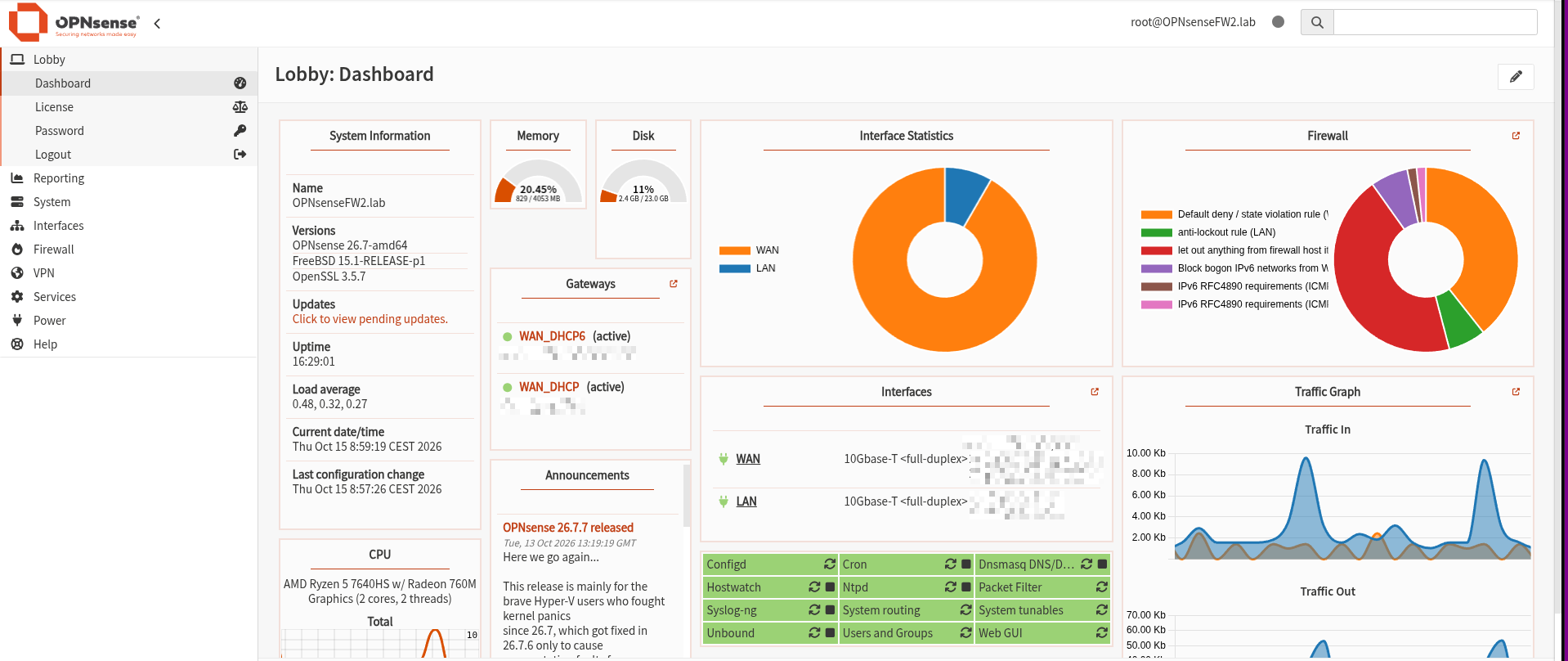
Two VirtIO NICs: net0 on vmbr0 (WAN, DHCP from the router, address pinned in the router), net1 on vmbr1 (LAN 10.10.10.1/24). Ballooning off (FreeBSD). Install to UFS, assign interfaces on the console, run the web wizard with "Block RFC1918 Private Networks" unticked on WAN (the WAN is a private network here). DHCP pool 10.10.10.100–200, so fixed server addresses stay outside it. Then the four rules above, an encrypted config backup (kept private), and a snapshot.
Step 3 — Metasploitable 2 (VM 101)
Not installed but imported: the VMware disk is downloaded on the Proxmox host and converted.
qm disk import 101 /root/Metasploitable2-Linux/Metasploitable.vmdk local-lvm # VMware disk → Proxmox disk
Attached as IDE with an Intel E1000 NIC (the 2008 kernel has no VirtIO driver), on vmbr1 only, fixed IP 10.10.10.55, never started at boot.
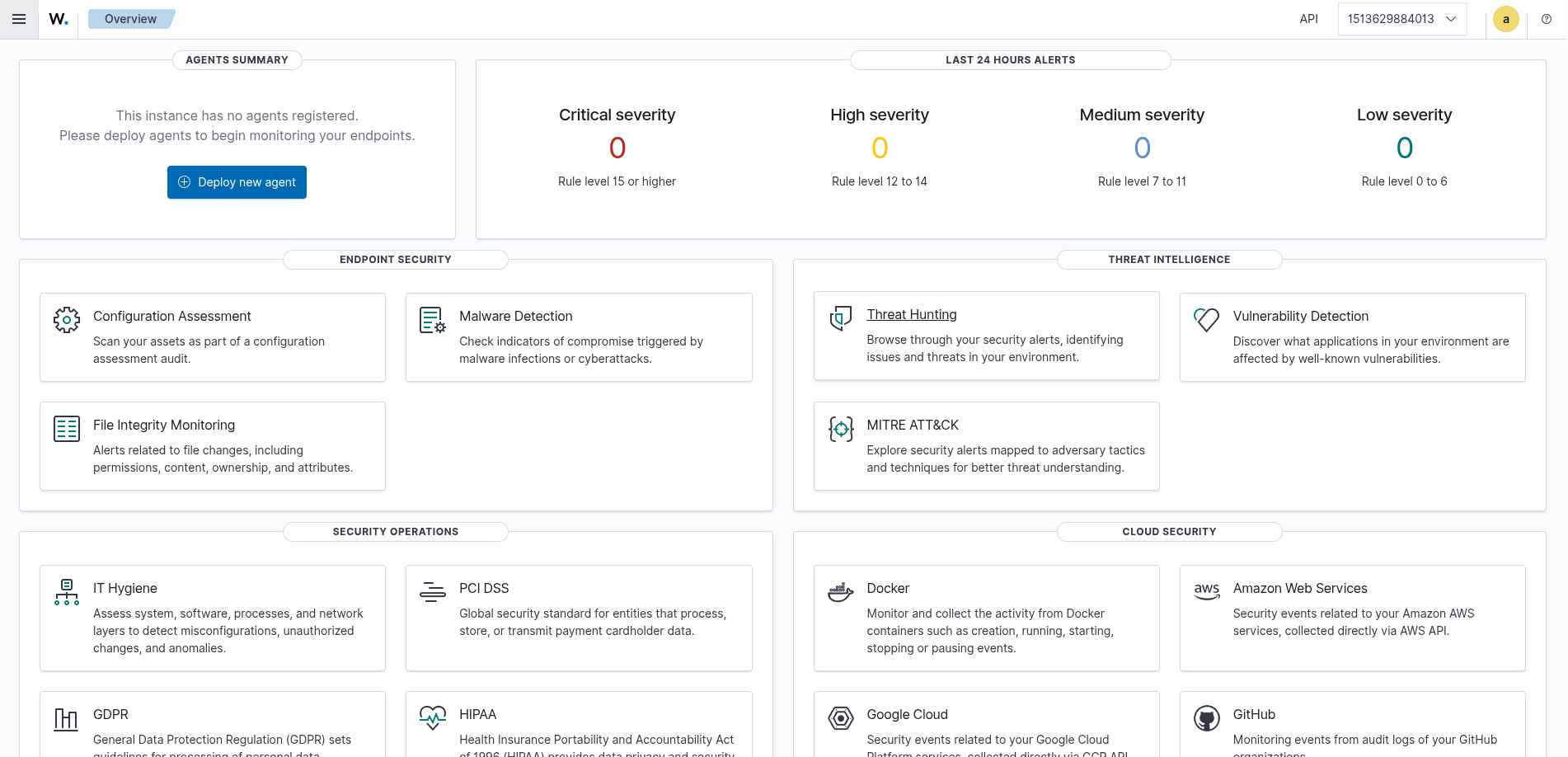
Step 4 — Wazuh SIEM (VM 102)
Ubuntu Server 24.04 (no LVM, so the full 60 GB is usable), Docker from Ubuntu's own repositories (not the snap), then the official single-node deployment, pinned:
sudo sysctl -w vm.max_map_count=262144                         # the indexer (OpenSearch) refuses to start without it
git clone https://github.com/wazuh/wazuh-docker.git -b v4.14.8  # pinned version, reproducible
cd wazuh-docker/single-node
sudo docker compose -f generate-indexer-certs.yml run --rm generator   # TLS certs between the components
sudo docker compose up -d                                              # indexer + manager + dashboard
Step 5 — Windows 11 endpoint (VM 104)
UEFI (OVMF) + EFI disk + virtual TPM 2.0 (Windows 11 requires both), VirtIO SCSI disk with the driver loaded during setup (vioscsi\w11\amd64), local account labadmin, then the VirtIO guest tools for network + guest agent. Static IP via PowerShell, renamed to WIN11 before any agent or domain join (Wazuh and AD key on the hostname), patched, updates paused, RDP enabled. Microsoft Defender stays on.
Step 6 — Vulnerable web apps (VM 103)
Same Ubuntu routine, then:
R="--restart unless-stopped"                                    # come back after reboots
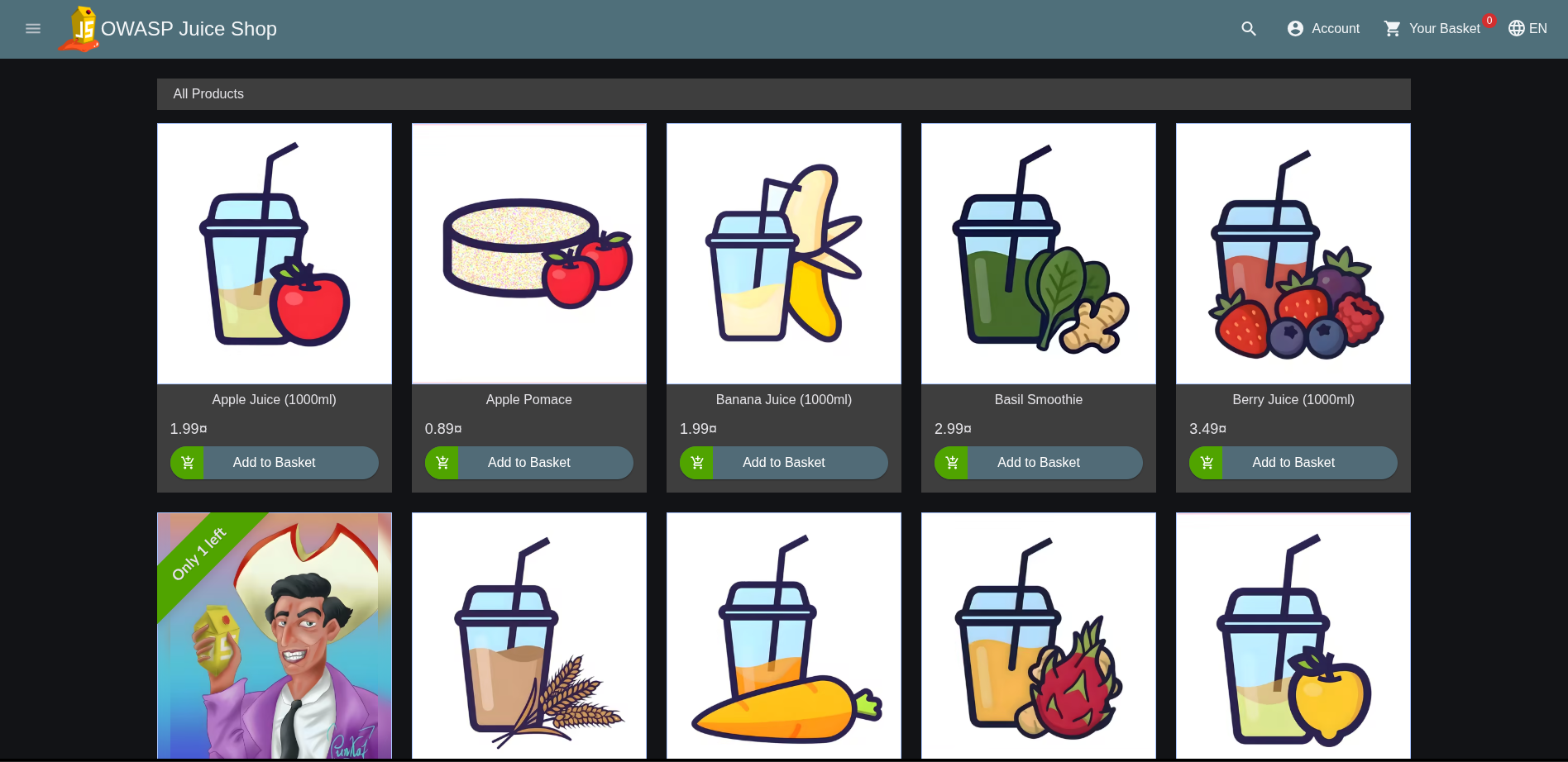
sudo docker run -d $R --name juice-shop -p 3000:3000 bkimminich/juice-shop
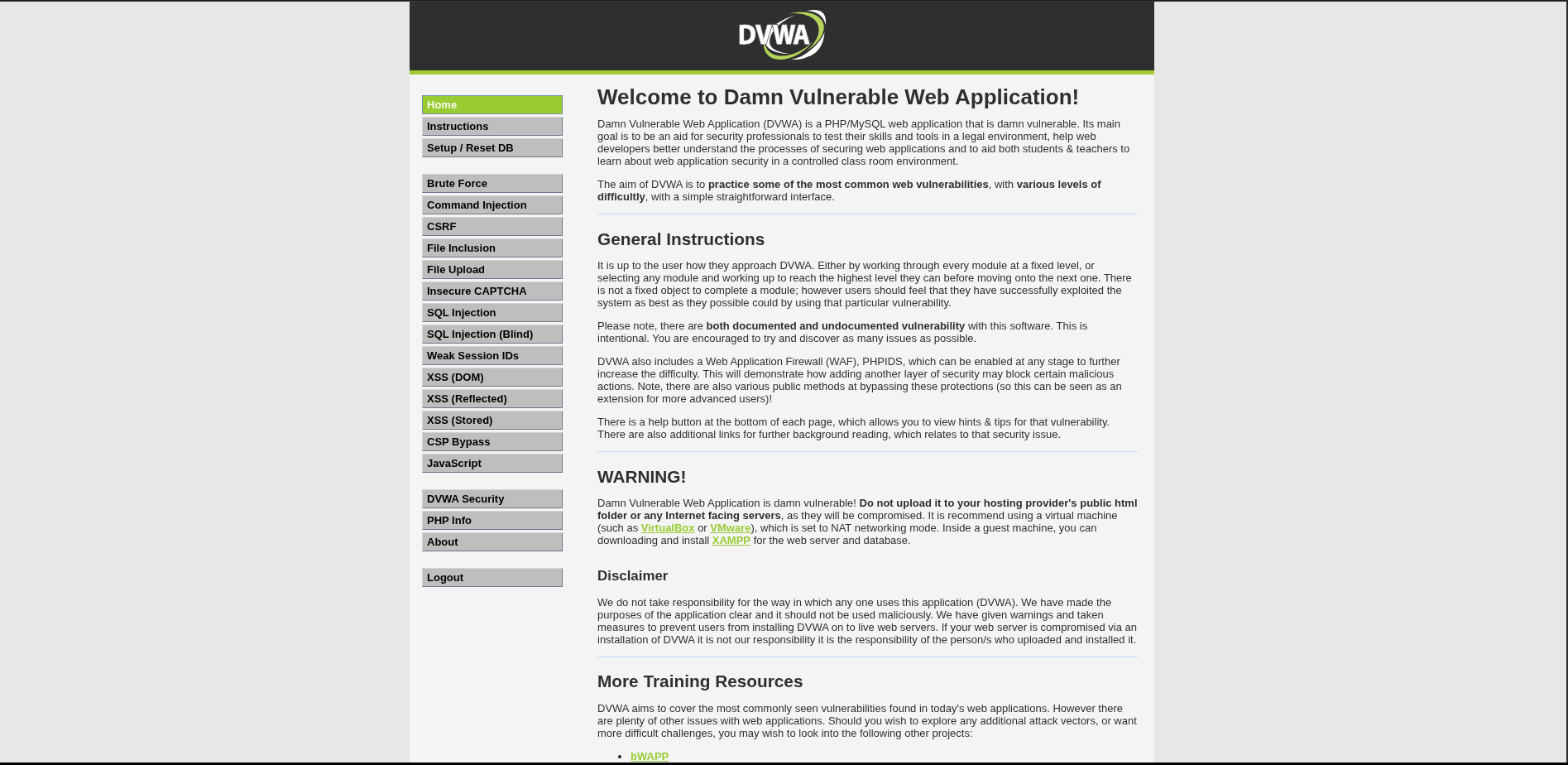
sudo docker run -d $R --name dvwa -p 8080:80 vulnerables/web-dvwa
Step 7 — Lock down and baseline
Switch rule 3 off, re-test isolation, new encrypted OPNsense backup, and a clean-baseline snapshot of every VM (disk only, no RAM; Windows shut down first). After each attack session: qm rollback <id> clean-baseline.
Deliberate misconfigurations (vulnerable labs only)
| Misconfiguration | Attack it enables | How it was set |
|---|---|---|
| Metasploitable 2 as shipped (vsftpd 2.3.4 backdoor, weak services, default creds) | Network exploitation practice | Unmodified vendor image |
| DVWA security level low | SQLi, XSS, command injection practice | DVWA Security page |
| (Day 19) AD: Kerberoastable service account, weak passwords, ACL abuse | AD attack chain | Setup script, documented on [[Day-19]] |
Validation checklist
[x] All hosts reachable inside the lab from Kali; the lab cannot reach the home network or the internet
[x] Isolation tested (pings + curl above), blocked attempts visible in the OPNsense live log
[ ] Logs from every agent visible in the SIEM (Day 2: Sysmon + Wazuh agent on WIN11)
[x] Snapshot
clean-baselinetaken for VMs 100–104
Troubleshooting log
| Problem | Cause | Fix |
|---|---|---|
| Old mini PC: VMs killed (OOM), only ~7.7 GB of 16 GB usable; later stopped booting | Never fully diagnosed (no-warranty import box) | Replaced the hardware, rebuilt everything fresh from the guides |
| New host: only 25 GiB of 32 GB usable | iGPU reserves 6 GB by default (dmesg: VRAM: 6144M) |
BIOS: UMA Frame Buffer 512M (pending); 25 GiB is enough until the DC is added |
| Host seemed "unreachable" after a reboot | It was simply off: "Restore on AC Power Loss" disabled from the factory | BIOS: Power On (pending) |
OPNsense install: vm fault: pager read error, then boot from the half-installed disk |
ISO detached before the installer finished | Re-attach the ISO, put the CD first in the boot order, reinstall |
Lab DHCP pool changed to .41–.245 (overlapping fixed IPs) |
The OPNsense setup wizard rewrites the DHCP range | Reset to .100–.200 after the wizard |
| Isolation test failed: Metasploitable reached the internet and the home router | Rule 1's destination had silently stayed any instead of LAN net, so rule 1 allowed everything before rule 4 |
Corrected the destination, re-tested, retook backup + snapshot. Lesson: always test isolation, never assume it |
Wazuh VM: Ubuntu mirror test failed, Live View showed rule 4 blocking .20 |
Alias lab_update_hosts was defined but not loaded (Diagnostics → Aliases empty) |
Save + Apply the alias again. Debugged via Live View + Diagnostics |
| SSH to Metasploitable refused | Modern OpenSSH disables the 2008 box's key/kex algorithms | -o HostKeyAlgorithms=+ssh-rsa -o KexAlgorithms=+diffie-hellman-group14-sha1 (lab only) |
| Pasted command blocks broke | Long lines wrapped; sudo's password prompt swallowed the following lines | Short lines; run sudo -v before pasting |
Ubuntu reboot hung on cdrom.mount |
ISO removed while the VM was running | Harmless; reset the VM |
Resource and cost notes
RAM at full load: OPNsense 4 + Wazuh 6 + Windows 4 + Docker 4 + Metasploitable 1 = 19 GB of 25 GiB usable. The DC (+4 GB, Day 18) needs the BIOS fix. Day to day, only OPNsense and Wazuh run permanently; the rest is started per task.
Disk: about 200 GB allocated of 512 GB (260 GB with the DC) (thin-provisioned on local-lvm, so real use is lower). A second NVMe only once local-lvm passes ~80 %.
Licences: everything free. Windows 11 Enterprise Evaluation installed 16 Oct 2026 → expires around 14 Jan 2027 (
slmgr /rearmor rebuild). Windows Server 2022 Evaluation: 180 days from its install on Day 18.Known limitation / next hardening step: the MASQUERADE rule lets any device on the home network that knows the route reach the lab, not only Kali. Restricting the source to Kali's address (with a DHCP reservation for Kali) would close that.
Hardware cost: mini PC ~€600 (one-off). Everything else is open source or evaluation licences.
About the author
- 30 years in creative leadership (in the ad industry as a Creative Director) taught me one core skill: dissecting complex systems and finding the flaw before someone else does. My tech roots run back to 8-bit machine code on a C64 (yeah – 80s, baby!) Today, I’m combining that legacy hacker curiosity with modern threat detection and offensive security. BATTLE-TESTED LOGIC: Decades of high-pressure problem solving and systems analysis. HACKER MINDSET: I don't just follow playbooks; I reverse-engineer how the attack path actually works. CONTINOUS SKILL-UP: CompTIA Security+ certified (among other certs), building home labs, and constantly training for L1 ops to future Pentesting.