

Hack the Login (HackerDNA): the password shipped with the page
| Field | Value |
|---|---|
| Platform | HackerDNA |
| Difficulty | Very Easy |
| Category | Web & API (browser-only lab) |
| Date completed | 2026-11-17 |
| Time spent | ~3 h incl. Nmap learning (hints used: no) |
| Skills | Reading page source, browser DevTools, client-side code review |
| Weakness | Hard-coded credentials in client-side JavaScript (CWE-798), authentication done in the browser (CWE-602) |
| OWASP Top 10 | A07 Authentication Failures |
| Status | Public lab; HackerDNA welcomes writeups after solving |
TL;DR
The login page checks the username and password in the browser, in a JavaScript file that every visitor downloads. Reading that file gives you the credentials and even the location of the flag. No tools beyond the browser were needed.
Attack path at a glance
- Recon: the page text says the way in is "hidden somewhere on this very page", so the page's own code is the place to look.
- Page source (Ctrl+U): the page loads a script called
script.js. script.js(DevTools → Sources): the login check compares the input against a hard-coded username and password, and on success fetches the flag from a "random" folder.- Logged in with those credentials → flag shown.
1. Reconnaissance
This is a browser-only lab: no VPN, no SSH, and no port scan of the target. Recon means reading what the page gives you.
The login page itself already hints at the approach: there is no account to register, and the way past the login is "hidden somewhere on this very page".
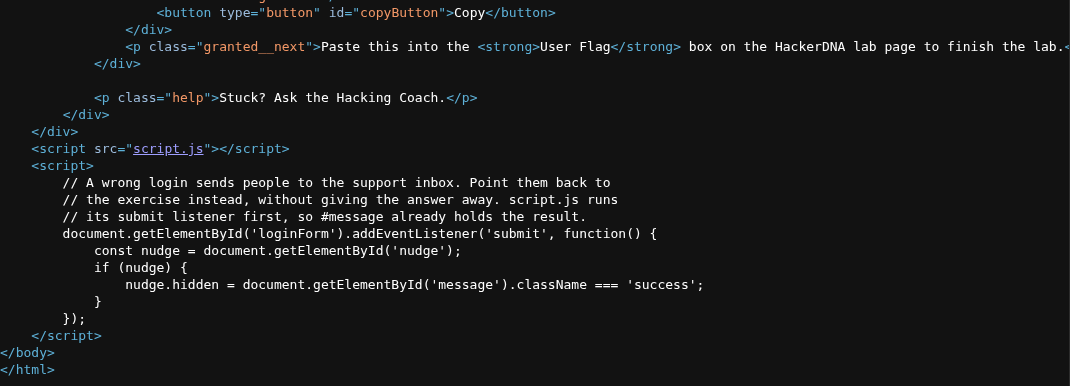
Viewing the page source (Ctrl+U) shows the HTML of the login box and, near the end, the line that loads script.js. An inline script below it only shows or hides a help message, so the real login logic must be in script.js.
2. Finding: the login check lives in the browser
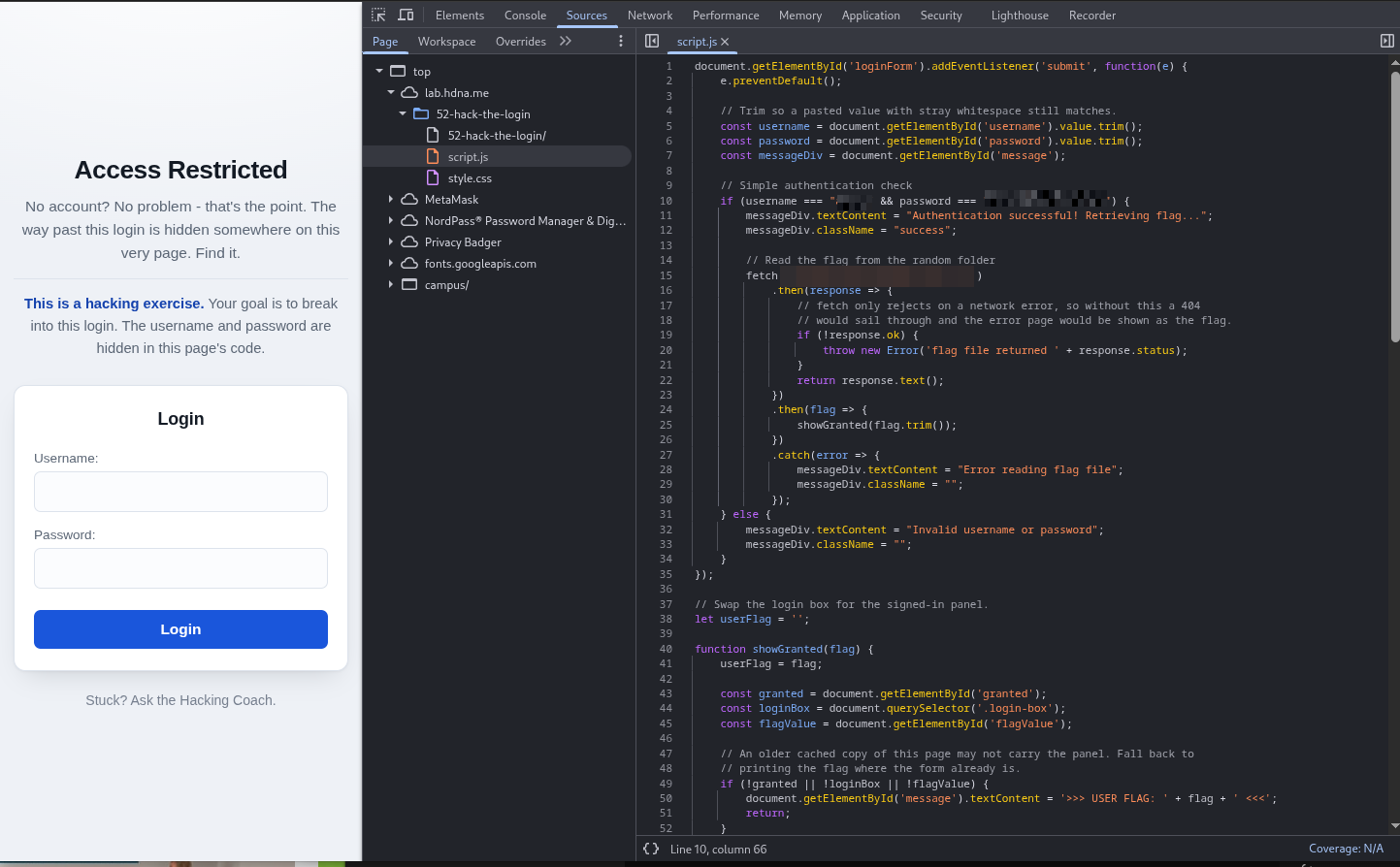
Opening script.js in DevTools (F12 → Sources → script.js) shows the whole login logic:
- It reads the username and password from the form.
- It compares them with a username and password written into the script (
if (username === "…" && password === "…")). - If they match, it loads the flag from a folder with a long random-looking name.
- If not, it shows "Invalid username or password".
So the "secret" credentials are sent to every visitor as part of the page.
Why it works: anything the browser runs, the visitor can read. A check in JavaScript is only a suggestion to the browser, not a security control. The random folder name doesn't hide anything either, because the script that knows it is public.
3. Access
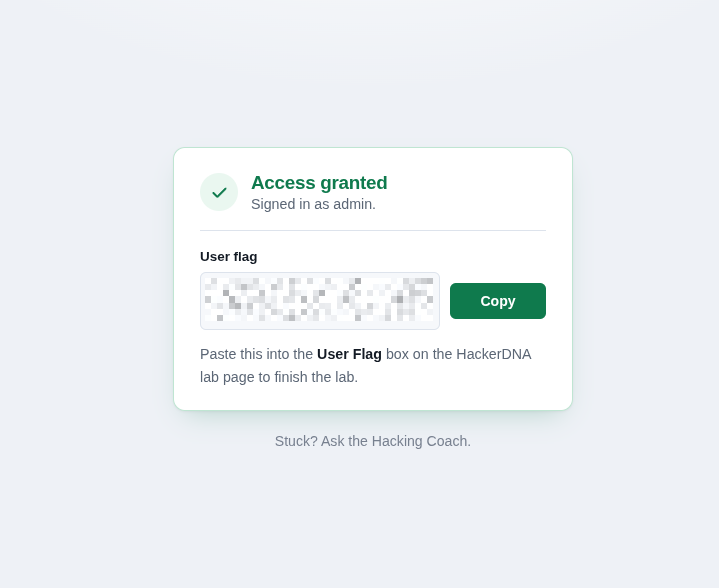
Entering the credentials from script.js into the form passes the check and shows the Access granted, signed in as admin panel with the user flag.
Even without logging in, the flag file could be requested directly at the path in the script: the "protection" is entirely on the client side.
4. Remediation (how the site owner fixes it)
- Check logins on the server. The browser sends the username and password; the server compares them against a stored hash (bcrypt/Argon2) and answers yes or no.
- Never ship secrets to the client. No credentials, keys or tokens in HTML or JavaScript. Scan code for secrets before deploying (e.g. gitleaks in CI).
- Protect the resource, not the link. The flag (or any private file) must only be served after the server has checked a valid session. A long random folder name is not access control.
- Add rate limiting and logging of failed logins once the check is on the server.
5. Defender's view
- With a client-side login there is nothing to log: wrong passwords never reach the server, so no failed-login alerts are possible.
- What the web server log would show: a GET for the flag file without any login request before it. A rule like "protected path requested without an authenticated session" would catch it.
- Best fix is preventive: code review / secret scanning would flag a hard-coded password before it ships.
6. Lessons learned
- Read what the page tells you first. The hint was in the page text, so I went straight to the source with Ctrl+U instead of trying default passwords or SQL injection.
- The browser shows you everything it runs. Page source and DevTools → Sources are recon tools, not just developer tools.
- For browser-only labs, recon happens in the browser. My Nmap scans that morning were wasted effort here; and when I do scan, only my own target IP, never a whole
/24.
References
About the author
- 30 years in creative leadership (in the ad industry as a Creative Director) taught me one core skill: dissecting complex systems and finding the flaw before someone else does. My tech roots run back to 8-bit machine code on a C64 (yeah – 80s, baby!) Today, I’m combining that legacy hacker curiosity with modern threat detection and offensive security. BATTLE-TESTED LOGIC: Decades of high-pressure problem solving and systems analysis. HACKER MINDSET: I don't just follow playbooks; I reverse-engineer how the attack path actually works. CONTINOUS SKILL-UP: CompTIA Security+ certified (among other certs), building home labs, and constantly training for L1 ops to future Pentesting.
Comments
Join the discussionNo comments yet. Be the first to comment.
From SOC to Pentest
My path from the SOC to pentesting: a home lab, detections I write for my own attacks, lab and pentest writeups, and the SAL1, AI1 and PT1 certifications. Everything built and tested by me.